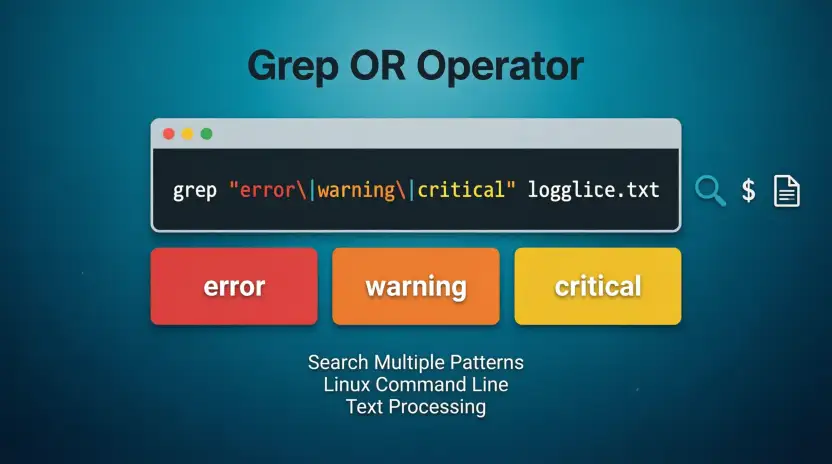
If you want to search for either of two or more patterns with grep, use the regular-expression OR operator | with grep -E, or provide multiple patterns with -e. For example, grep -E ‘cat|dog’ file.txt finds lines containing either cat or dog.
The search term grep or is common because grep looks simple at first, but OR searches can be confusing. Many users try to type or directly into the command, while others are unsure if they need grep -E, multiple -e options, or escaped characters.
The good news is that there are several clean ways to perform an OR search. The best method depends on if you want a simple fixed-text search, a regular-expression pattern, or a command that is easy to read and maintain.
In this guide, you will learn how grep or works, the difference between | and -e, common mistakes, practical examples, and which approach to use in different situations.
Grep OR: Featured Snippet & AI Overview
The easiest way to use OR with grep is grep -E ‘pattern1|pattern2’ file. The | character means “or” in an extended regular expression. For example, grep -E ‘apple|orange’ fruits.txt matches lines containing either apple or orange. You can also use multiple -e options when you want to provide separate search patterns.
Grep OR: Quick Answer
There are three common ways to perform an OR search with grep.
1. Use grep -E with |
grep -E ‘apple|orange’ file.txt
This searches for either apple or orange.
2. Use multiple -e patterns
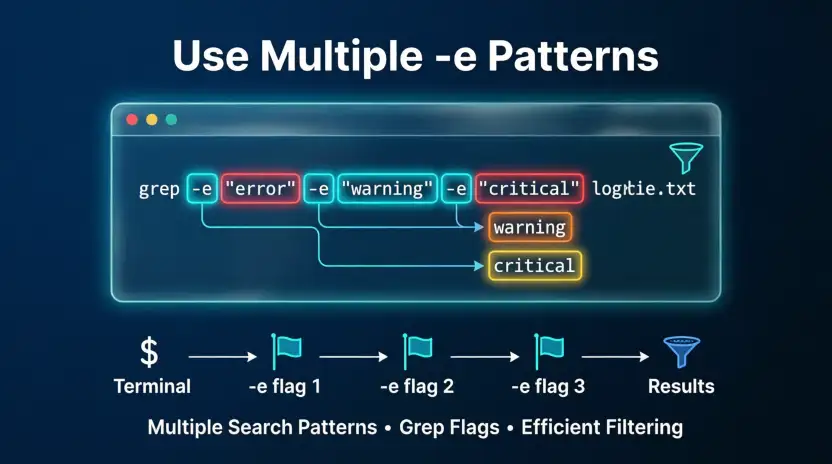
grep -e ‘apple’ -e ‘orange’ file.txt
This also searches for either pattern.
3. Use basic grep with an escaped OR operator
grep ‘apple\|orange’ file.txt
This works with GNU grep, where \| provides alternation in basic regular expressions.
For most beginners, this is the easiest option to remember:
grep -E ‘word1|word2’ file.txt
Think of the vertical bar as meaning “this OR that.”
Simple example
Suppose colors.txt contains:
red
blue
green
yellow
You can search for red or blue with:
grep -E ‘red|blue’ colors.txt
The result is:
red
blue
What Does Grep OR Mean?
grep is a command-line tool used to search input for lines that match a specified pattern.
The word OR does not normally appear as a special word in the command. Instead, OR is usually represented by the regular-expression alternation operator |.
For example:
grep -E ‘error|warning’ server.log
This tells grep to return lines matching:
- error
- or
- warning
The -E option tells GNU grep to use extended regular expressions. In extended regular expressions, | joins alternatives, so either expression can match.
OR versus AND
This distinction is important.
grep -E ‘cat|dog’ file.txt
means:
Find cat OR dog.
It does not require both words to appear.
By contrast, searching for two patterns with a pipeline can create different logic:
grep ‘cat’ file.txt | grep ‘dog’
This means:
First find lines containing cat, then keep only those lines that also contain dog.
So the second command is effectively looking for both conditions on the same line.
The Origin of Grep
The name grep has a Unix history.
GNU’s current grep documentation explains that the name comes from the ed line editor command:
g/re/p
The expression refers to a global command that works with a regular expression and prints matching lines.
The modern grep command grew from this Unix tradition of searching text with regular expressions. Today, GNU grep supports basic regular expressions, extended regular expressions, and, where available, Perl-compatible regular expressions.
The important point for users searching for grep or is that OR is tied to regular-expression syntax. In extended regular expressions, the | operator represents alternatives.
That is why this works:
grep -E ‘apple|orange’ file.txt
The two patterns are alternatives rather than a single literal phrase.
British English vs American English
Unlike ordinary English words, grep syntax does not have British and American spelling differences.
The command:
grep -E ‘cat|dog’ file.txt
works the same way for users in the United States, United Kingdom, Canada, Australia, and other regions, assuming a compatible grep implementation and shell environment.
| Context | British English | American English | Example |
| grep command | Same syntax | Same syntax | `grep -E ‘cat |
| OR operator | ` | ` | ` |
| Regular expression | Same syntax | Same syntax | `error |
| Documentation | May use local spelling in prose | May use local spelling in prose | “colour” / “color” |
| File content | Can contain British spelling | Can contain American spelling | `colour |
For example, if you want to find either spelling:
grep -Ei ‘colour|color’ file.txt
The command syntax stays the same. Only the text being searched changes.
This is an important difference between grep and ordinary word-choice questions. There is no British version of the grep OR operator and no American version.
Which Grep OR Version Should You Use?
Different situations call for different approaches.
United States
There is no special US syntax. Use the same standard grep methods:
grep -E ‘apple|orange’ file.txt
United Kingdom
The command syntax is also identical:
grep -E ‘apple|orange’ file.txt
Regional spelling matters only when the words inside the pattern differ.
Canada
If your files contain Canadian spelling, you can search for multiple variants:
grep -Ei ‘colour|color’ file.txt
Australia
Australian English can similarly be handled by including the spelling variants you need:
grep -Ei ‘organisation|organization’ file.txt
International Writing
For international text, OR patterns are useful when documents may contain different spellings:
grep -Ei ‘centre|center’ file.txt
Academic Writing
For research or academic text, use specific patterns rather than broad ones.
For example:
grep -E ‘hypothesis|hypotheses’ paper.txt
This can help locate both singular and plural forms.
Business Writing
For logs, reports, or business files, grep -E is useful for several status terms:
grep -Ei ‘error|warning|failed’ report.log
The -i option makes the search case-insensitive.
Common Mistakes
Mistake 1: Writing OR directly
A common attempt is:
grep ‘cat OR dog’ file.txt
This searches for the literal text pattern involving cat OR dog. It does not use OR as the regular-expression alternation operator.
Use:
grep -E ‘cat|dog’ file.txt
Mistake 2: Forgetting -E
Some users write:
grep ‘cat|dog’ file.txt
With basic regular expressions, the unescaped | is not generally treated as the alternation operator.
A clear solution is:
grep -E ‘cat|dog’ file.txt
Mistake 3: Searching for a literal pipe character
The | character has a special meaning in regular expressions.
If you actually want to find a pipe character, you need to escape it appropriately:
grep -E ‘\|’ file.txt
Mistake 4: Confusing shell pipes with regex OR
These two uses of | are different:
grep ‘cat’ file.txt | grep ‘dog’
Here, | is a shell pipeline.
But here:
grep -E ‘cat|dog’ file.txt
| is part of the regular expression and means alternation.
This is one of the most important distinctions when learning grep.
Memory Tip
Remember:
Inside the grep pattern, | means OR. Between commands, | means pipe.
Everyday Examples
Emails
Suppose an email archive contains lines with different response statuses:
grep -Ei ‘approved|rejected’ emails.txt
This finds lines containing either term.
Business Writing
To find common project-status words:
grep -Ei ‘pending|approved|completed’ report.txt
News Headlines
You could search headlines for two topics:
grep -Ei ‘election|voting’ headlines.txt
Blogs
To locate articles containing either spelling:
grep -Ei ‘website|web site’ articles.txt
Social Media
To search exported social-media text:
grep -Ei ‘launch|release|announcement’ posts.txt
Academic Writing
To find related forms:
grep -Ei ‘analyse|analyze’ research.txt
This can be useful when documents contain British and American spelling.
Daily Conversation
If a text file contains conversational transcripts:
grep -Ei ‘hello|hi|hey’ conversation.txt
This searches for any of the three greetings.
Searching More Than Two Terms
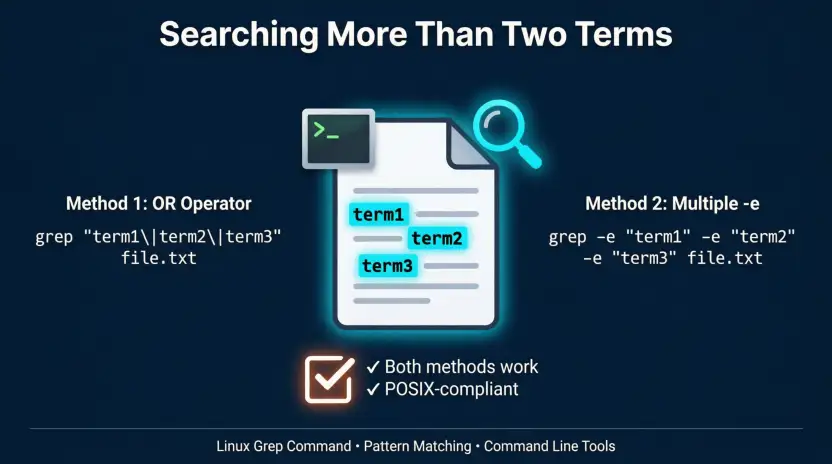
OR searches are not limited to two alternatives:
grep -Ei ‘cat|dog|bird|fish’ animals.txt
This matches a line containing any one of those terms.
Google Trends & Modern Usage
The search phrase grep or is mainly associated with technical and programming questions rather than ordinary English usage.
People typically search for it when they want to know how to express logical OR in grep. Common related searches include:
- grep OR two strings
- grep multiple patterns
- grep either of two words
- grep multiple words
- grep OR operator
- grep regex OR
- grep search for multiple strings
- grep two patterns
- grep extended regular expression OR
Modern GNU grep documentation describes | as the alternation operator for extended regular expressions. It also documents multiple regular expressions supplied with -e.
Exact Google Trends numbers should not be assumed without checking the relevant Trends data. Search interest can also vary based on programming courses, Linux usage, shell scripting, and developer workflows.
The main source of confusion is simple: users often know that grep searches for text, but they do not know how to express “this pattern or that pattern.”
Quick Comparison Table
| Version | Meaning | Correct? | Typical Use | Example |
| grep -E ‘cat|dog’ | OR search | No, not in this form | Easy mistake | Use `cat |
| `grep -E ‘cat | dog’` | Matches cat or dog | Yes | Extended regex |
| grep ‘cat|dog’ | Matches cat or dog | Yes with GNU grep | Basic regex form | grep ‘cat|dog’ file.txt |
| grep -e ‘cat’ -e ‘dog’ | Multiple patterns | Yes | Separate patterns | grep -e ‘cat’ -e ‘dog’ file.txt |
| grep ‘cat OR dog’ | Searches that pattern literally | Usually not intended | Incorrect for regex OR | Avoid |
| grep ‘cat’ file | grep ‘dog’ | Lines matching both stages | Yes | Pipeline filtering | Two-step filtering |
Key Takeaways
- grep uses regular expressions to search text.
- For OR searches, | represents alternatives in extended regular expressions.
- grep -E ‘cat|dog’ file.txt is a simple and readable OR search.
- Multiple -e options provide another way to specify patterns.
- grep ‘cat\|dog’ file.txt can use the escaped OR form with GNU grep.
- A shell pipe and a regex OR operator are different things.
- grep syntax does not change between British and American English.
- Use -i when capitalization should not matter.
- Use parentheses when you need to group more complex alternatives.
- Always quote regular-expression patterns when shell characters could otherwise be interpreted by the shell.
FAQs About Grep OR
1. How do I use OR in grep?
Use the | operator with extended regular expressions. For example:
grep -E ‘apple|orange’ file.txt
This returns lines containing either apple or orange. The -E option enables extended regular-expression syntax, where | is used for alternation.
2. What does | mean in grep?
Inside a regular-expression pattern, | means alternation, which is commonly understood as OR. For example:
grep -E ‘cat|dog’ file.txt
This matches a line containing either cat or dog. The same symbol can also be used by the shell as a pipeline operator, so its meaning depends on where it appears.
3. Can grep search for multiple words?
Yes. You can use an OR expression:
grep -E ‘apple|orange|banana’ file.txt
You can also provide separate patterns with multiple -e options:
grep -e ‘apple’ -e ‘orange’ file.txt
Both approaches can search for multiple alternatives.
4. What is the difference between grep -e and -E?
They do different jobs. -E tells grep to use extended regular expressions. -e specifies a pattern to search for. You can use several -e options in one command when you want to supply multiple patterns.
5. Why does grep ‘cat|dog’ not work as expected?
Basic grep uses basic regular-expression syntax by default. In that syntax, an unescaped | does not normally act as the alternation operator. You can use grep -E ‘cat|dog’ or the escaped form grep ‘cat\|dog’ with GNU grep.
6. How do I grep for two strings at the same time?
If you want either string, use:
grep -E ‘first|string|second|string’ file.txt
For example:
grep -E ‘error|warning’ server.log
If you need lines containing both strings, a pipeline such as grep ‘first’ file.txt | grep ‘second’ can be used instead.
7. Does grep OR work on Windows?
The grep command is commonly associated with Unix-like systems such as Linux and macOS. Windows users can also use grep through environments or tools that provide it, such as a Unix-like shell environment. The regular-expression OR syntax remains the same when using a compatible implementation.
8. How do I make grep OR searches case-insensitive?
Use the -i option:
grep -Ei ‘error|warning’ file.txt
Here, -E enables extended regular expressions and -i makes the matching case-insensitive. This can find error, Error, ERROR, and similar capitalization variations.
9. Can grep OR search for more than two patterns?
Yes. You can include as many alternatives as your search requires:
grep -E ‘red|blue|green|yellow’ colors.txt
You can also use multiple -e options. For complex searches, grouping and careful quoting can make the pattern easier to understand.
10. What is the easiest grep OR command to remember?
For most basic OR searches, remember:
grep -E ‘word1|word2’ file.txt
Read the pattern as: “find word1 OR word2.” Once you understand that | means alternation inside the regular expression, many grep searches become much easier.
Conclusion
The phrase grep or usually refers to the problem of searching for one pattern or another with the grep command. The simplest approach is to use extended regular expressions with grep -E and place | between the alternatives.
For example:
grep -E ‘warning’ server.log
This searches for either error or warning.
You can also use multiple -e options when you want to provide separate patterns:
grep -e ‘warning’ server.log
For GNU grep, the escaped form grep ‘warning’ server.log is another option.
The key is not to confuse regex OR with the shell’s pipe operator. They use the same character, but they perform different jobs.
If you are searching log files, source code, research documents, reports, or exported text, understanding OR makes grep much more useful.
Remember: inside a regular-expression pattern, | means “this OR that.”
Read more about!
- Honoring or Honouring: Which Spelling Is Correct?
- Apartment or House: Which One Is Better for You?
- Resignate or Resonate: Which Word Is Correct?

I’m Olivia Parker, a grammar and English writing enthusiast passionate about making English simple and easy to understand. Through Wordsblog, I share clear explanations, useful grammar tips, and practical writing guidance to help readers write with confidence. My goal is to make learning English easier, one word at a time.